Kaikki
November 23, 2023

How to Update an Incorrect Address on Google Maps

A wrong address on Google Maps doesn’t just create confusion — it costs you real customers. When guests can’t find you, they choose someone else. The good news? Updating your address is simple, and doing it right improves your visibility across Google Search, Google Maps, and AI-driven discovery tools.
Ev charging stations
Published on
November 17, 2025
Key takeaways
  • Accuracy = revenue. Even small address errors can lead customers to the wrong place.
  • Consistency boosts SEO. Matching details across platforms improves your rankings and increases your chances of appearing in the Google 3-Pack.
  • Verification matters. Most address changes require a quick verification step before appearing live.
  • Mobal simplifies everything. Update your address across Google, Facebook, Instagram, TripAdvisor, and more — all from one dashboard.
  • Why Correcting Your Google Maps Address Matters

    • Lost revenue: Guests end up at the wrong location and choose competitors instead.
    • Frustration for customers: Outdated or incorrect info creates avoidable negative experiences.
    • SEO impact: Google rewards businesses with consistent, trustworthy location data across the web.

    Pro tip: Restaurants and local businesses that keep their online profiles accurate are more likely to appear in the Google 3-Pack (the top map listings).

    How to Update Your Business Address on Google Maps

    Step 1: Confirm your new address

    Make sure the address matches official records — including street number, postal code, city, and spelling.

    Step 2: Log into your Google Business Profile

    Go to Google Business Profile and sign in (or claim your business if you haven’t already).

    Step 3: Update the address

    Inside your profile:

    • Go to Business Information
    • Select Edit next to your address
    • Enter your new, correct details

    If you’re using Mobal:
    Update your Google Maps address — plus Facebook, Instagram, TripAdvisor, and more — all at once, saving time and preventing errors.

    Step 4: Complete verification

    Google may ask for verification by postcard, phone, or email. Complete the process to confirm the change.

    Step 5: Allow time for processing

    Most updates go live in 3–7 days, depending on verification.

    Common Issues You Might See

    • Verification delays: Google sometimes takes longer than expected.
    • Duplicate listings: Old addresses can linger if not closed properly.
    • Inconsistent information: Mismatched details across platforms can harm SEO and delay updates.

    How Mobal Helps Restaurants & Local Businesses

    Managing your address across multiple platforms individually takes time. Mobal makes it effortless:

    • Update your address, hours, phone number, menus, and more across all major platforms instantly
    • Keep your information consistent — boosting local SEO
    • Monitor and respond to reviews from the same dashboard
    • Ensure your customers always find you at the right place, at the right time

    FAQs

    How long does it take for the new address to show on Google Maps?
    Usually 3–7 days, depending on verification.

    Why isn’t my address updating?
    Common causes include pending verification, duplicate listings, or conflicting information across the web.

    Do I need a Google Business Profile?
    Yes. It’s the only way to directly control your business information on Google.

    Final Thoughts

    Keeping your Google Maps address accurate is essential for discovery, customer trust, and revenue. Whether you follow the steps above or use Mobal to automate the process, you’ll ensure guests always arrive at the right place.

    Make managing your business info effortless — try Mobal today.

    Get started  today
    Transform how you do business. Own your digital future.
    Book a free demo
    contact us today
    White Arrow
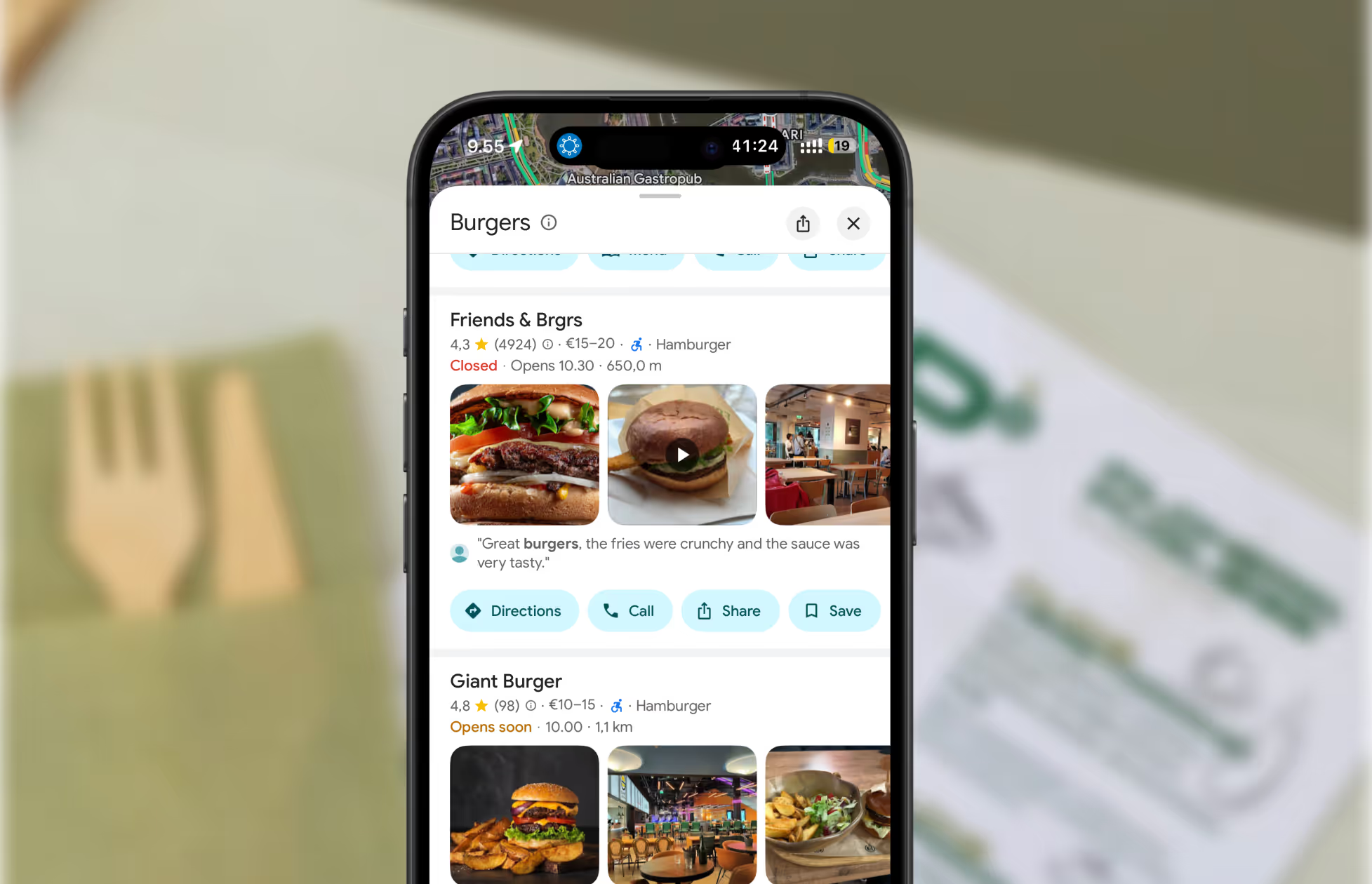
    A screenshot of restaurants on Google Maps.
    See how you stack up against your local competition
    Discover how you stack up against nearby competition and uncover opportunities to win more customers.
    Generate free report
    Read about our privacy policy.
    Thank you! Your submission has been received!
    Oops! Something went wrong while submitting the form.

    Related blog posts

    Join 8000+ businesses reaching more customers online with Mobal

    Save time, reach more customers

    Autamme yrityksiä menestymään verkossa

    Varaa esittely
    Icon
    Icon
    Middle-aged woman outdoors with a pink scarf draped over her shoulders and sunglasses on her head, smiling in a sunny park.
    Three men wearing caps and jackets sitting and conversing on a boat with a foggy harbor in the background.Icon